Welcome to a taste of our app development – we hope you’re as excited as we are!
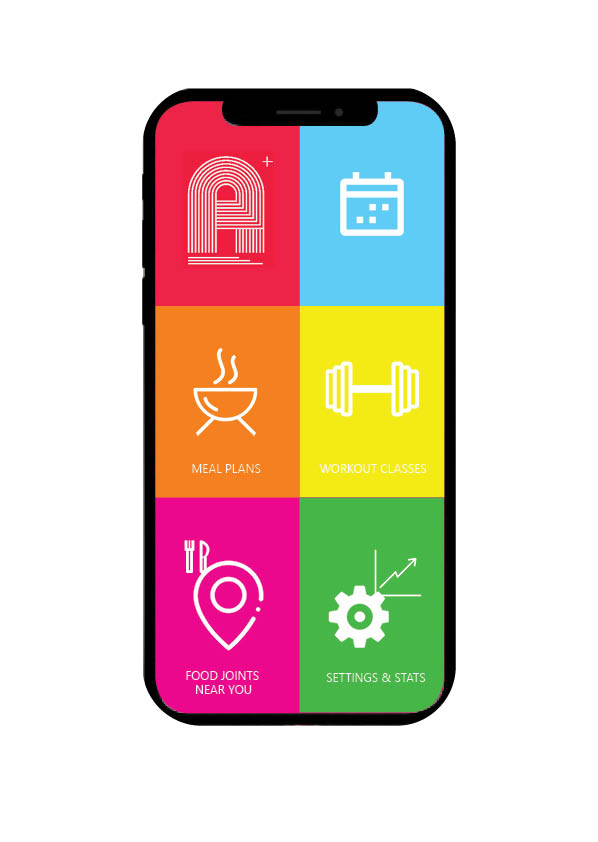
As promised, a look into the development of our app – lucky you. As seen on the interface – there are six icons, today we are looking into the “Workout Classes” segment of the app.
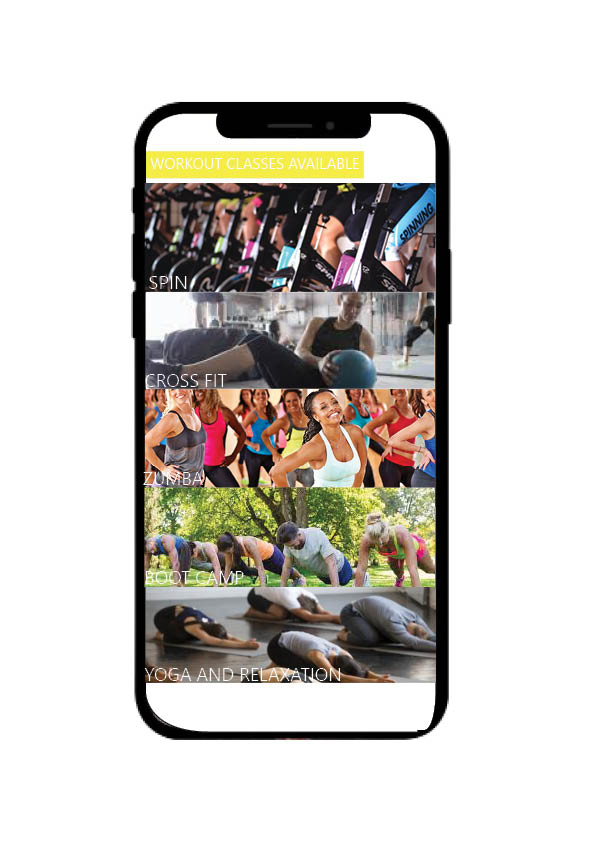
Page 1 of your workout classes is shown above, we have used a bar like design to optimise screen usage and give you a taste of what is to come in our classes. All you have to do it tap the bar which you want to take/view classes in, and it’ll take you right where you need to be…
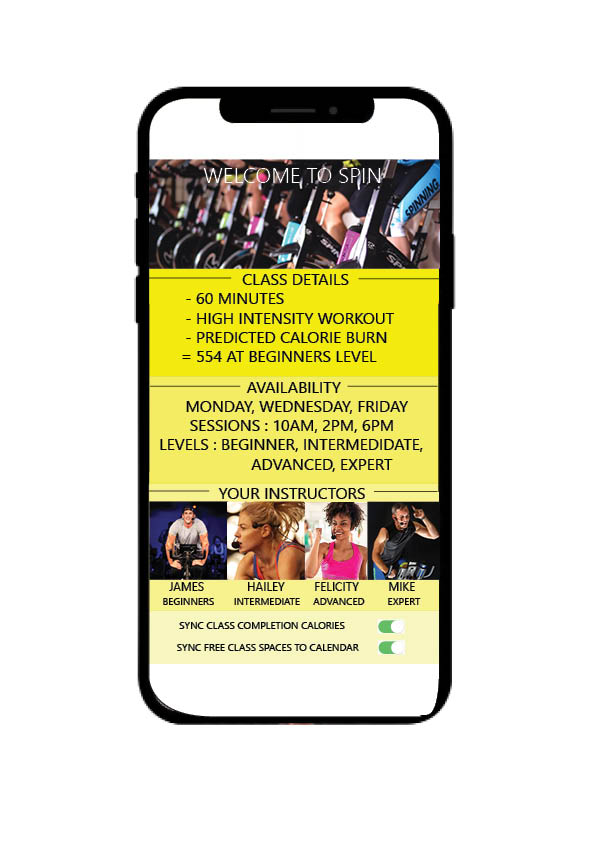
Here we have what would come up in for example you had selected an ADJUST SPIN class – in the top we can see class details, things such as time elapsed, what level you are looking at, and how many calories you are expecting to burn.
Below this shows you availability and which days the classes take place, along with what level/intensity you are after – all of which are available on each day mentioned.
Then is moves on to your instructors, beginner through expert – so you can put a face to a name. We have gone through the effort of this to create a more connective environment for your trainer and you, without the extra cost of a PT.
Most importantly at the very bottom, we have our syncing options which to make the most of ADJUST you will definitely be wanting to use. You can sync your calories and information from the class to your personal progress charts in settings ans stats, not only this but class availability can be synced to your calendar to ensure you don’t miss a trick.
We hope you enjoyed that taster into what our app is going to include and assist with, theres plenty more where that came from guys – but we are keeping the really exciting stuff under wraps for now.
 Synergy Media